
Stop chasing diligence by email.
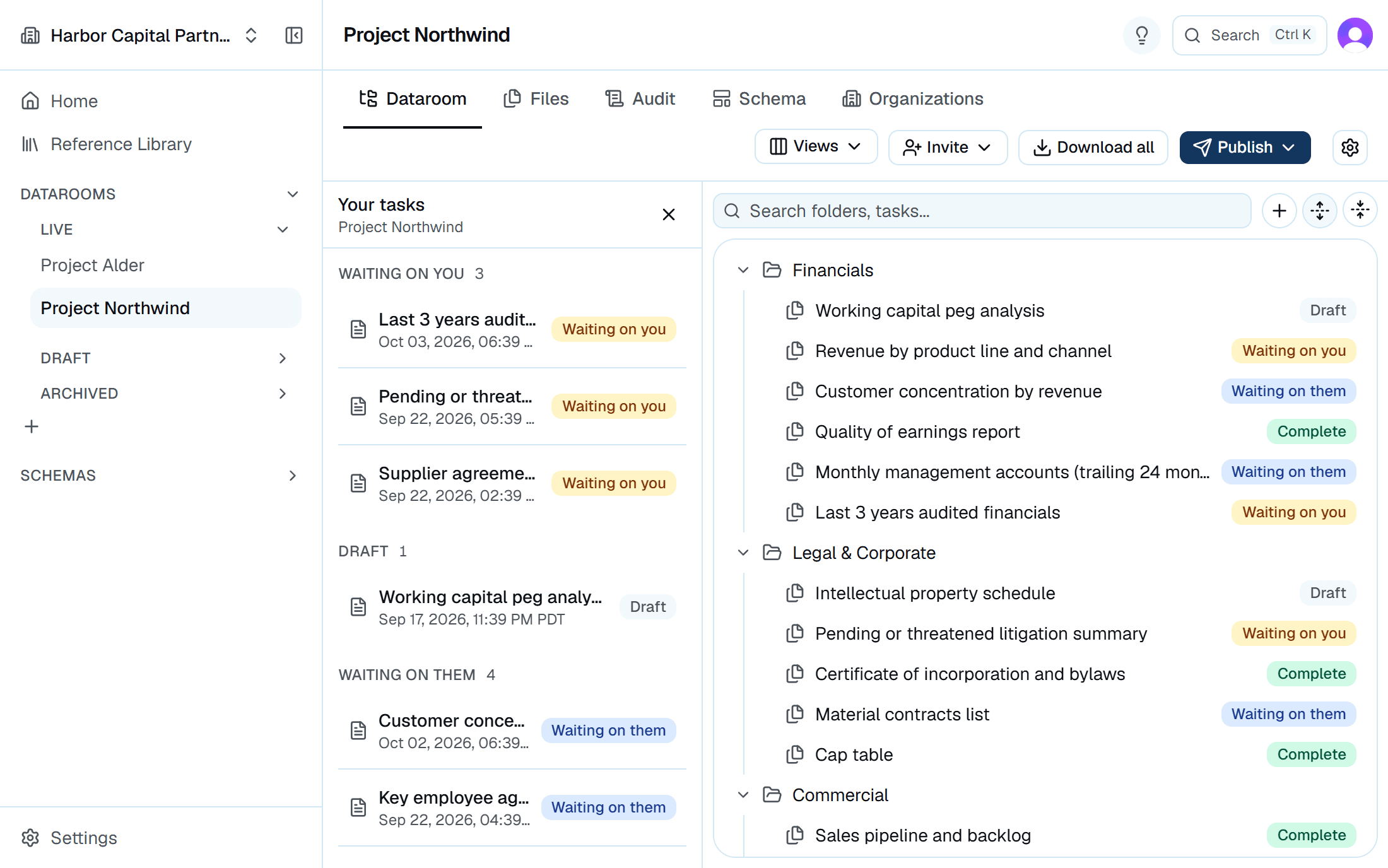
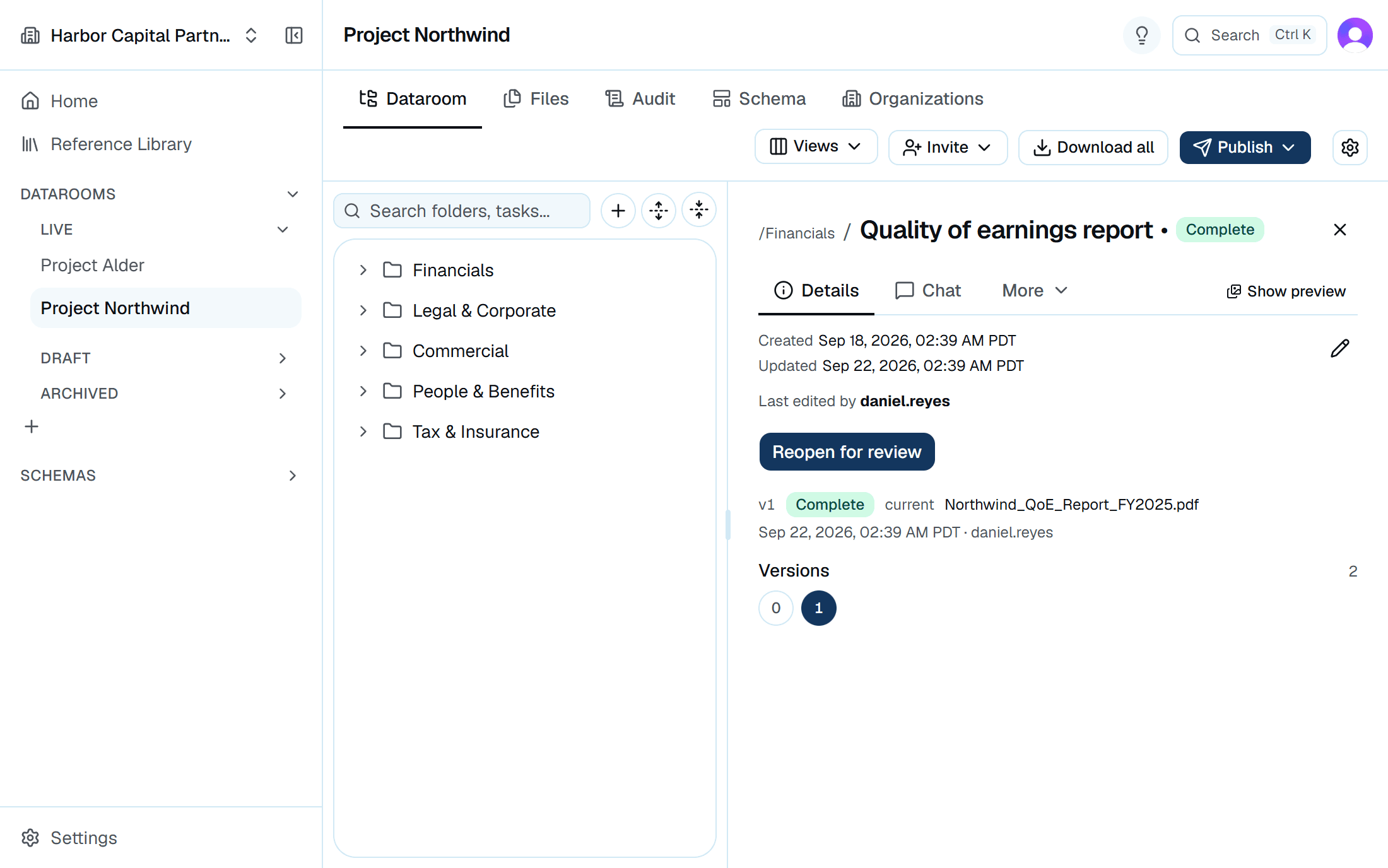
Every request in Arc has an owner and a status, and the current file sits on top. You stop rebuilding the tracker before Monday's call.
Priced per seat. Your counterparties join free.
What changes when the deal runs in Arc
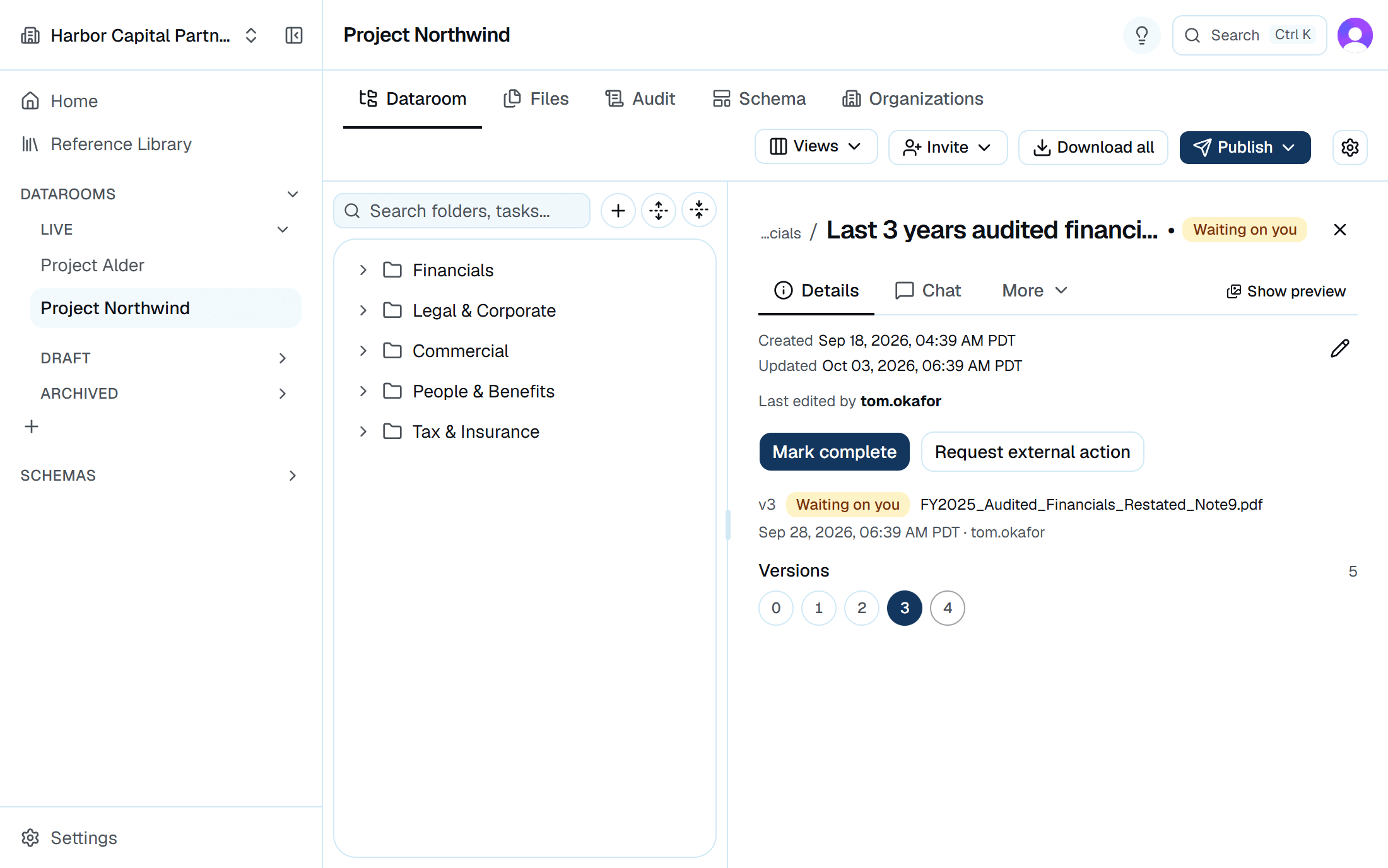
A resubmission opens a new round on the same request. The current version sits on top, and every earlier round stays readable underneath with who sent it and when.
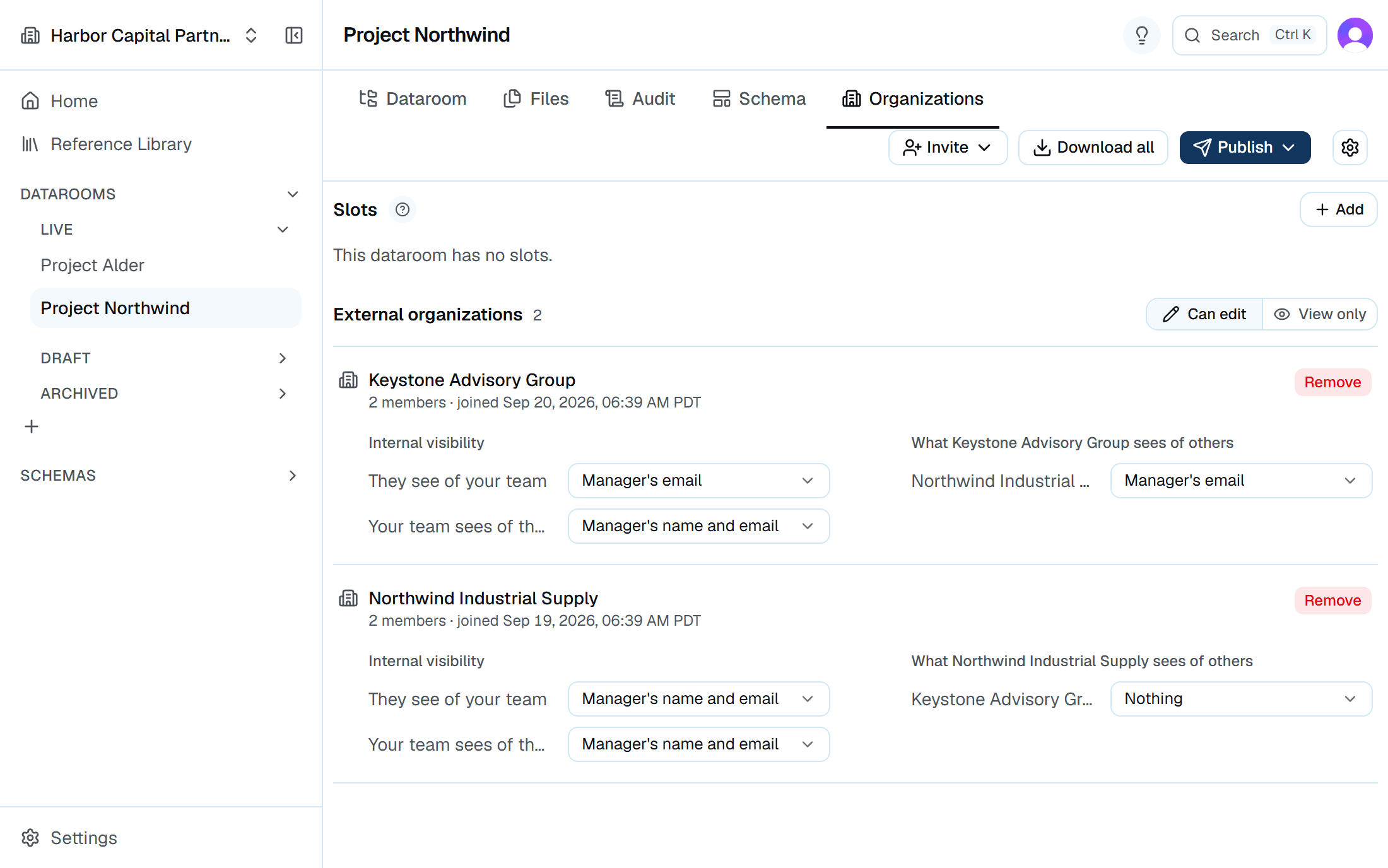
See every organization in a room and who it brought with it. Remove one and its people lose access at once, along with their request assignments.
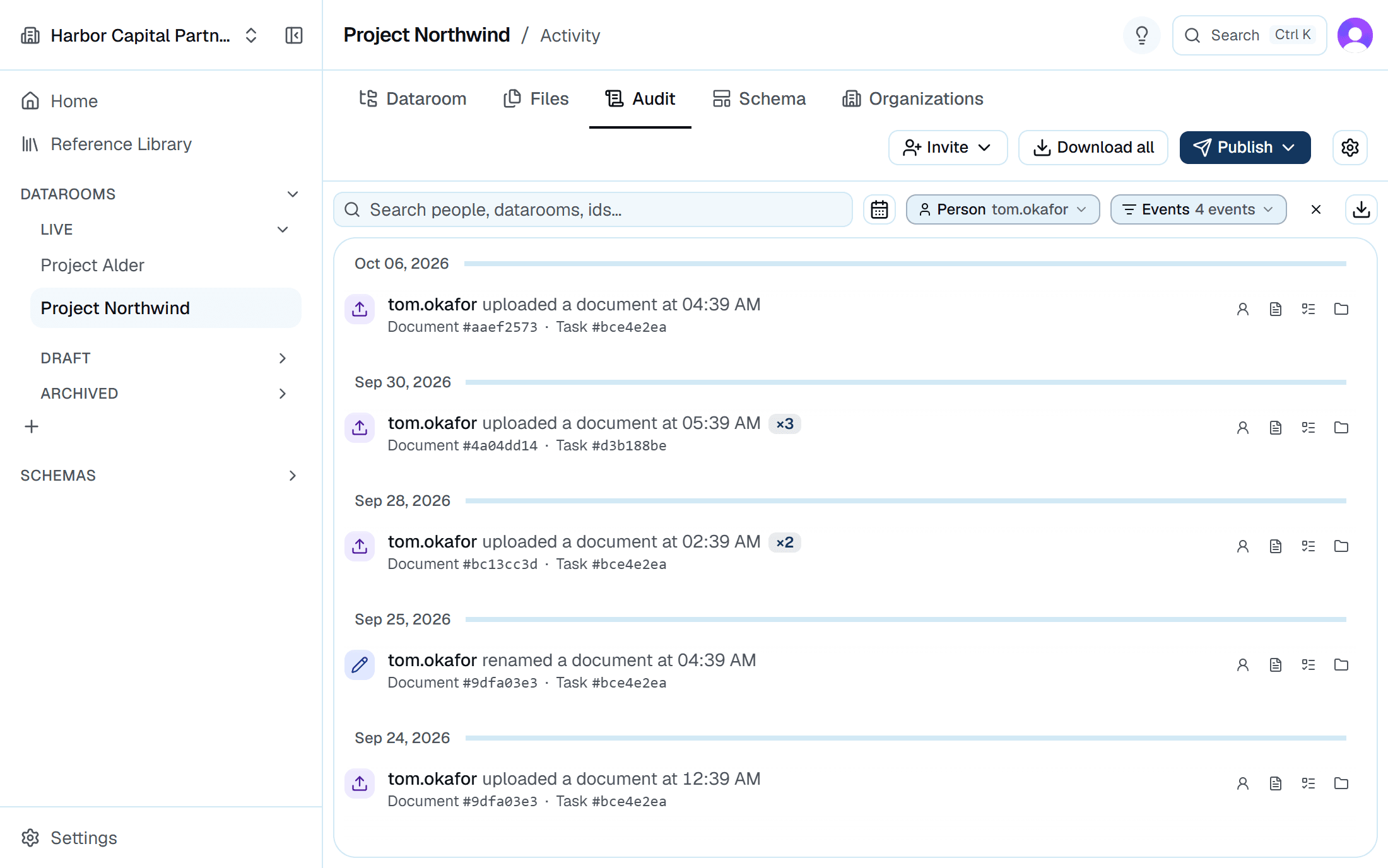
Uploads, downloads, invites and removals all land in one log. Filter it by person, organization or date, then export it to Excel for the closing file.
The target sees what you asked for and you see what came back. Every request has an owner on each side, so you can see whose move it is.
Where diligence usually breaks
Monday, 8:40am. The investment committee meets Wednesday, and nobody can say which of 140 requests the target has actually answered. The associate who knows is on a flight.
The room already knows
Filter by status to see what's outstanding and who owns it. There's no tracker to rebuild.
The deal dies in exclusivity. Three weeks later, someone notices the target's bankers can still log in.
Remove the whole firm at once
You remove their organization and everyone it brought in loses access. The audit log records when.
The target's CFO answers a question on deferred revenue in a reply to one associate. Two weeks later, nobody else can find it.
The answer stays with the request
Each request has its own thread that both teams can read. The answer sits next to the document it's about.
The VDR invoice lands after close. You were billed per page, and the thorough associate uploaded every contract.
Priced per seat
Upload forty documents or four thousand, invite the target and both sets of counsel. The invoice doesn't move.
Your counterparty shouldn’t need a sales call to upload a cap table.
They open the invite, make a free account, and land on a list of what you've asked for. Their team doesn't buy a seat or sit through a demo.
Three steps from engagement to close
An analyst can set up a room between meetings.
Step 1
Create the room
Start with a request list and folder structure that matches your diligence process.
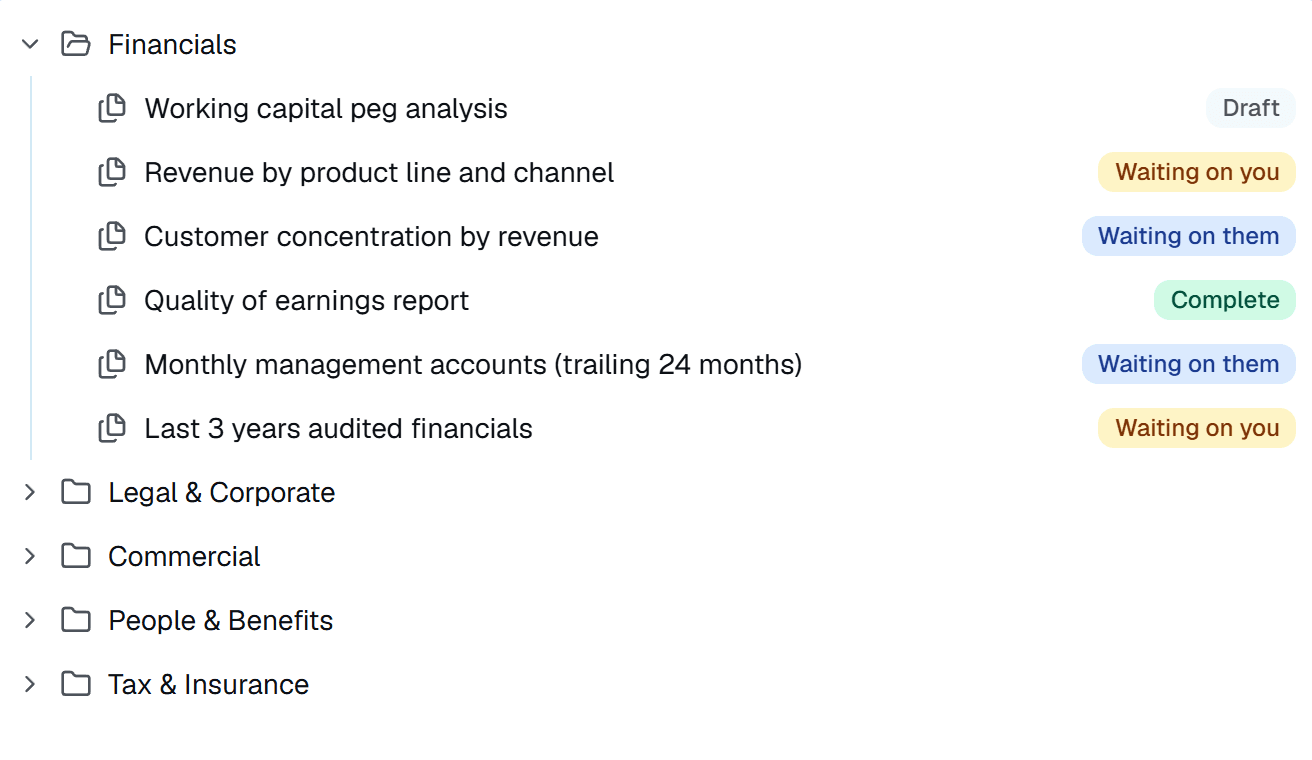
Exhibit CA room's folders and requests, each with its status Step 2
Invite both sides
Send the counterparty an invite link. Their team joins free and only sees the requests you've published to them.
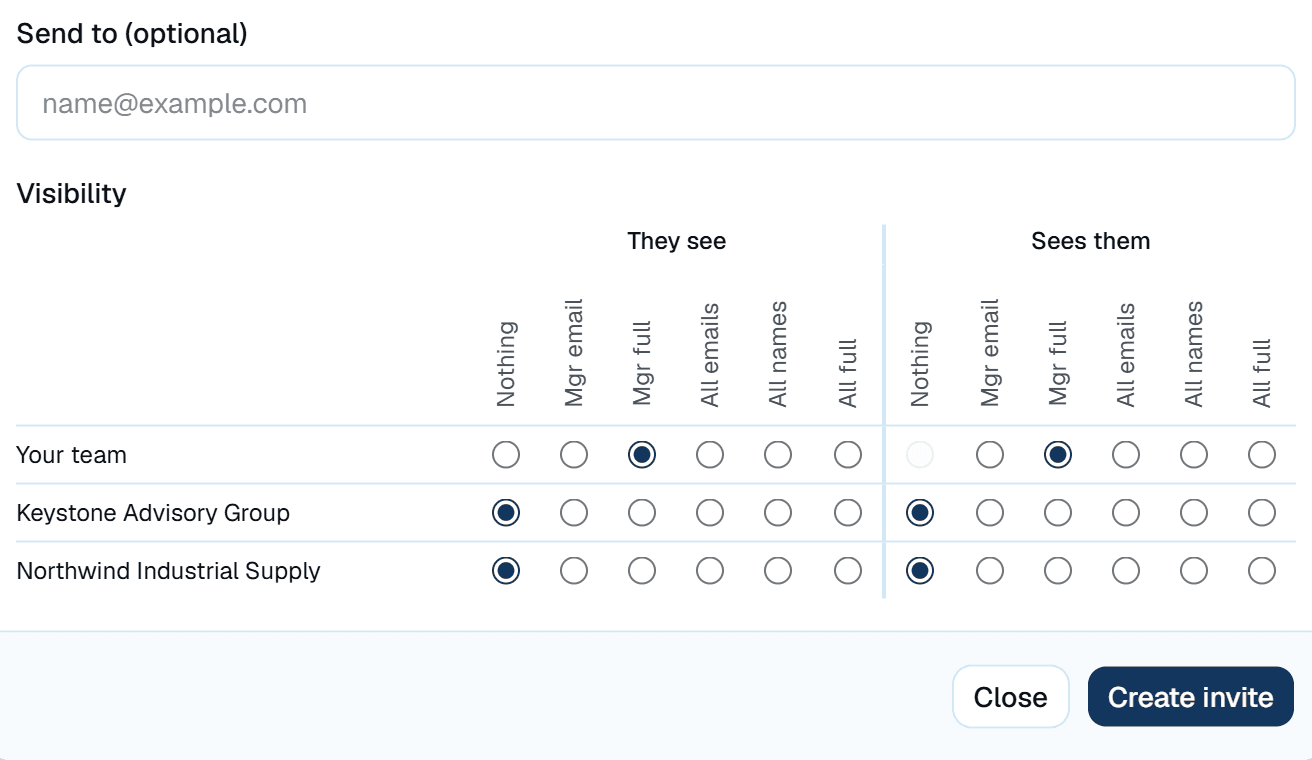
Exhibit DThe invite for an outside organization, with what each side sees Step 3
Track it to close
Every request moves through a fixed set of statuses. At any point you can see what's outstanding and who owns it.
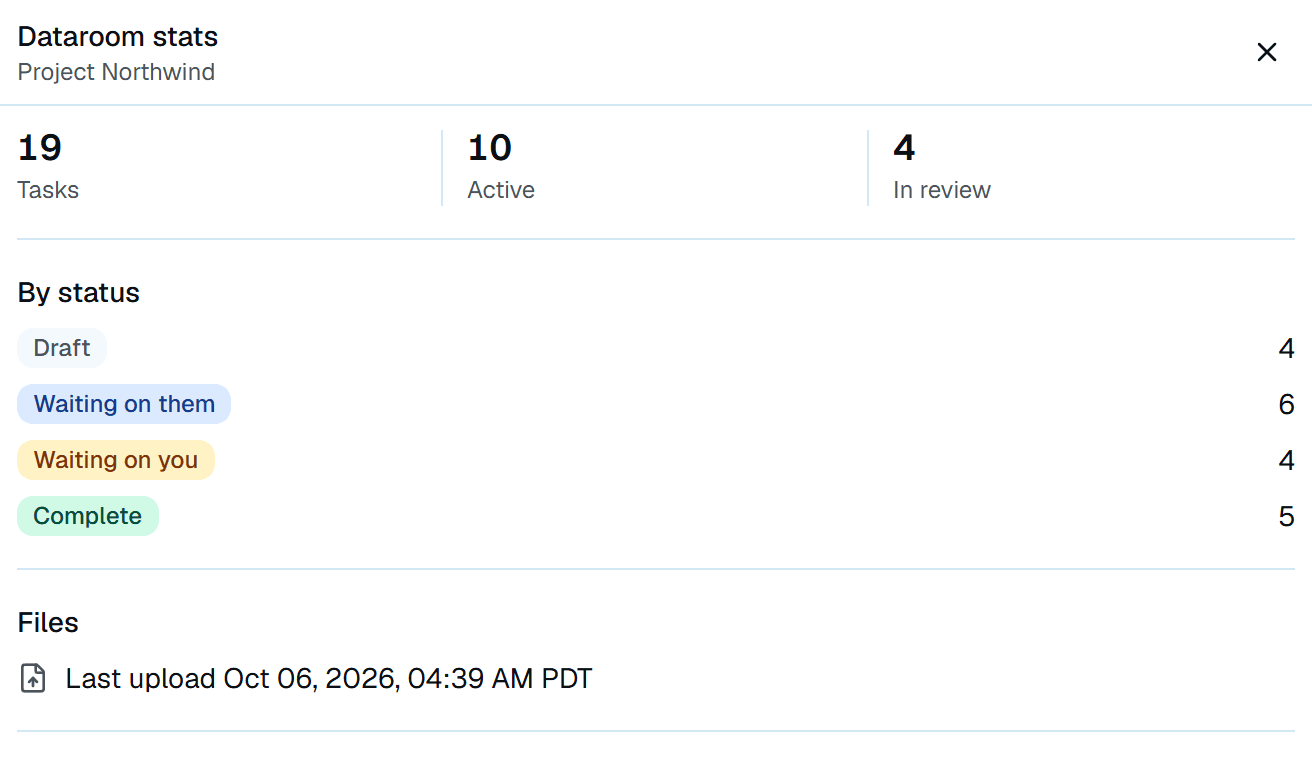
Exhibit EThe room's stats panel, counting requests by status